Is the Eufy Baby Monitor Worth It? Expert Review
Let’s be honest—choosing a baby monitor feels like you’re selecting the guardian of your peace of mind. You’re scrolling through endless options at midnight, reading reviews from strangers on the internet, and wondering if you really need to spend that much money on a device that watches your sleeping baby. The Eufy baby monitor has become a household name in the parenting world, but does it actually live up to the hype, or is it just another gadget taking up space on your nightstand?
After diving deep into features, real-world performance, and what actual parents are saying, we’ve put together this comprehensive guide to help you decide whether the Eufy baby monitor deserves a spot in your nursery. We’ll break down the specs, compare it to other options, and give you the honest truth about whether it’s worth your hard-earned money.
The stakes feel high when it comes to monitoring your little one, especially during those early months when every sound could mean something important. That’s exactly why we’re here to cut through the marketing speak and give you practical, evidence-based insights to make the best decision for your family.
Overview and Key Features
The Eufy baby monitor lineup includes several models, with the Eufy Spaceview and Eufy Spaceview Pro being the most popular choices among parents. These monitors come with a parent unit that connects to a camera in your baby’s room, offering both local viewing and remote access through their app. Unlike some competitors, Eufy prioritizes local network connectivity, which means you can use the monitor without an internet connection—a feature that resonates strongly with privacy-conscious parents.
The standard Eufy Spaceview features a 5-inch display on the parent unit, 720p video resolution, and a pan-and-tilt camera that gives you a wider view of the nursery. The Pro version steps up to 1080p resolution and adds more advanced features like better zoom capabilities and improved night vision technology. Both models include two-way audio, temperature monitoring, and customizable alert settings.
What makes Eufy different from many other baby monitor options is their commitment to keeping data on your local network rather than routing everything through cloud servers. This approach appeals to parents who want to reduce their digital footprint and maintain control over their family’s data. However, it also means some features work differently than you might expect from other connected home devices.
The setup process is straightforward—you’ll pair the camera with the parent unit through a simple connection process that takes about five minutes. The touchscreen interface on the parent unit is intuitive enough that you won’t need to reference the manual constantly, though some users find the button layout a bit cramped if you’re adjusting settings frequently.
Video Quality and Night Vision
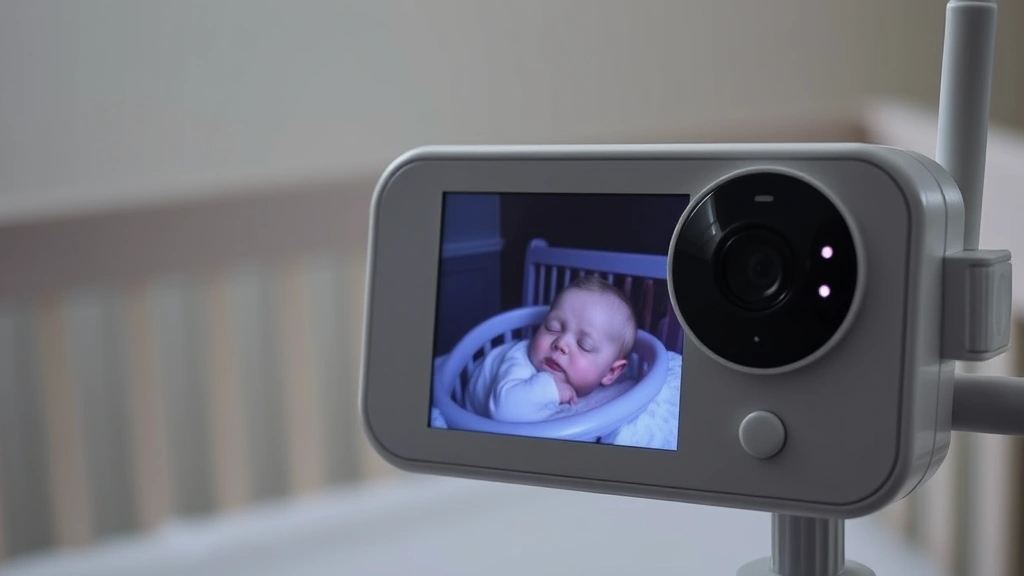
Video quality is arguably the most important factor when evaluating any baby monitor. You need to see your child clearly, especially in low-light conditions when most babies sleep. The Eufy Spaceview delivers solid 720p resolution on the standard model, which translates to clear enough video for identifying whether your baby is sleeping peacefully or needs attention. The 5-inch parent unit screen displays the video in good detail, and the colors are reasonably accurate during daytime viewing.
The night vision capability uses infrared technology to illuminate the room without visible light that might disturb your sleeping baby. Parents consistently report that the infrared night vision is effective, allowing you to see your baby’s position, movement, and general condition without any harsh lighting. The range is adequate for standard-sized nurseries, though very large rooms might present challenges at the edges of the frame.
If you opt for the Eufy Spaceview Pro, you’re upgrading to 1080p resolution, which provides noticeably sharper detail. This becomes particularly valuable if you’re monitoring from the parent unit’s screen or if you want to catch fine details like whether your baby’s eyes are open or if they’re in a safe sleep position. The difference between 720p and 1080p isn’t revolutionary, but it’s noticeable enough that some parents feel it justifies the price difference.
One limitation worth noting: the video feed has a slight delay when viewing remotely through the app, typically around one to two seconds. This is normal for most monitors and won’t significantly impact your ability to respond to your baby’s needs, but it’s worth understanding if you’re expecting real-time streaming similar to security cameras.
The pan-and-tilt functionality allows you to adjust the camera view from the parent unit or app, giving you flexibility in monitoring different areas of the nursery. The movement is smooth and quiet, so you won’t accidentally wake your baby when adjusting the angle.
Connectivity and App Performance
Here’s where the Eufy baby monitor philosophy becomes really relevant. Unlike many competitors, the Eufy monitor prioritizes local network connectivity. This means you can view your baby on the parent unit without any internet connection at all. When you’re in the same home, the camera and parent unit communicate directly through your WiFi network, which some parents prefer for privacy reasons.
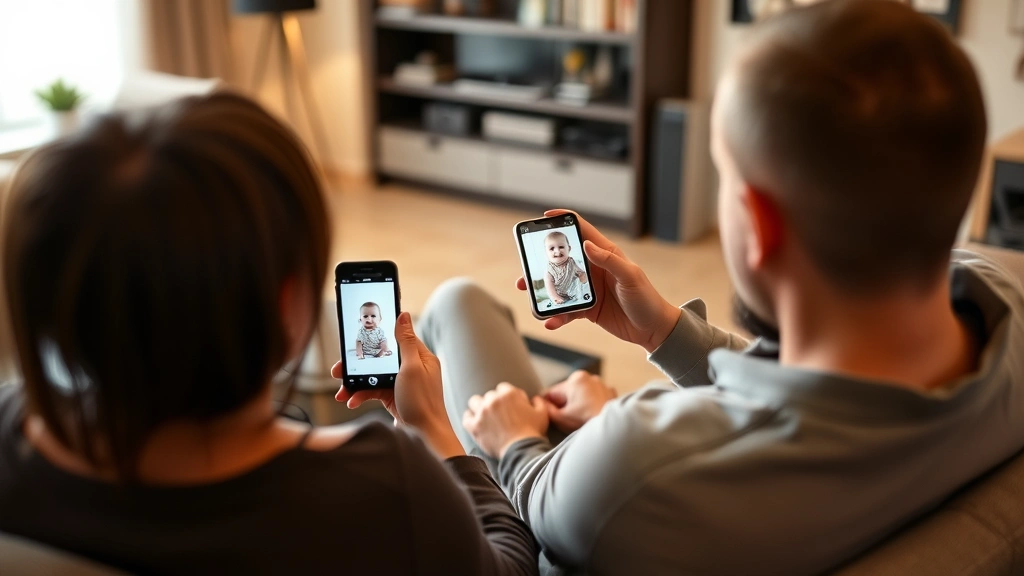
Remote viewing through the Eufy app requires an internet connection and uses end-to-end encryption. The app is available for both iOS and Android devices, and it mirrors most of the functionality available on the parent unit. You can view the live feed, adjust the camera, talk to your baby, and receive alerts from anywhere with an internet connection. The app performance is generally smooth, though some users report occasional connection hiccups during poor WiFi conditions.
The WiFi connection stability is strong for most parents, but it’s worth noting that the monitor works best on 2.4GHz networks. If your home WiFi is set up exclusively on 5GHz, you might experience connectivity issues. Many modern routers support both bands, so this isn’t usually a problem, but it’s something to verify before purchasing.
Battery life on the parent unit is respectable, lasting around 10-12 hours on a single charge depending on screen brightness and usage patterns. This is solid performance that allows you to carry the monitor around your home without constantly hunting for a charger. The charging cable is proprietary, which means you can’t just grab any USB cable if you forget the original.
Two-Way Audio and Sound Detection
The two-way audio feature lets you talk to your baby from the parent unit or through the app, which can be comforting for both of you. Parents report that the audio quality is clear enough for gentle communication, though it’s not perfect. Your voice comes through clearly to the baby, and you can hear sounds from the nursery with reasonable fidelity.
Sound detection is another important feature, and Eufy’s implementation is generally well-regarded. You can set sensitivity levels for sound alerts, which means you won’t be bombarded with notifications for every little noise but will be alerted when your baby cries or makes significant sounds. The customization options here are valuable because it reduces false alarms while keeping you informed of genuine concerns.
Some parents appreciate pairing the Eufy monitor with baby headphones or quality speakers for enhanced audio monitoring in certain situations, though the built-in speaker on the parent unit is adequate for most families. The volume controls are easy to adjust, and you can mute the audio when needed without disabling video monitoring.
Temperature monitoring is included in the standard features, displaying the nursery temperature on the parent unit. This is particularly useful during extreme weather or if you’re concerned about your baby being too warm or cold. You can set temperature alerts to notify you if the room gets too hot or cold, which adds an extra layer of safety monitoring.
Privacy and Security Considerations
Privacy is increasingly important for parents, and Eufy’s approach of keeping video data on your local network rather than storing it in the cloud is a significant selling point. Your baby’s video feed doesn’t leave your home network unless you’re viewing remotely, which appeals to parents concerned about corporate data collection. This is a meaningful differentiator from monitors that route all footage through cloud servers.
The encryption used for remote viewing is solid, and Eufy hasn’t had major security breaches that made headlines like some other smart home device manufacturers. That said, no system is completely immune to security vulnerabilities, and it’s always wise to use strong passwords and keep your app updated.
One privacy consideration is that the parent unit itself is a closed ecosystem. You can’t integrate the Eufy monitor with other smart home systems like Alexa or Google Home, which some parents view as a privacy advantage and others see as a limitation. This walled-garden approach means fewer integration points where your data could potentially be exposed.
According to research from the Consumer Reports baby products team, security and privacy features are among the top concerns when choosing connected baby monitors, and Eufy’s approach addresses many of these concerns directly.
How It Compares to Competitors
When you’re evaluating whether the Eufy baby monitor is worth it, you need context about how it stacks up against similar options. The main competitors include Nanit, Owlet, Moni, and various other WiFi-enabled monitors. Each has different strengths and philosophies about data handling and features.
Nanit monitors offer superior video quality with 1080p standard and excellent night vision, but they’re more expensive and rely more heavily on cloud connectivity. Owlet combines monitoring with wearable technology that tracks oxygen levels and heart rate, which appeals to parents with specific health concerns. These options are worth considering if their particular strengths align with your priorities.
The Eufy Spaceview holds its ground through a combination of solid performance, reasonable pricing, and strong privacy practices. It’s not the absolute best in any single category, but it’s competitive across the board. If privacy is your primary concern, Eufy wins. If you want the absolute sharpest video, competitors might edge ahead. If you want the most features, other options exist.
Budget-conscious parents often compare the Eufy to basic WiFi monitors from lesser-known brands, and the Eufy consistently offers better build quality and more reliable performance. The parent unit itself is a meaningful advantage—you have a dedicated screen rather than relying solely on your smartphone, which many parents appreciate for quick checks without unlocking their phone.
For parents interested in comprehensive baby registry must haves, the Eufy monitor consistently ranks highly. It’s the kind of product that delivers on its promises without unnecessary complexity or premium pricing.
Is It Worth the Investment?
The real question comes down to your specific situation, budget, and priorities. Let’s break down when the Eufy baby monitor makes sense and when you might want to explore other options.
The Eufy is worth it if you:
- Prioritize privacy and want data staying on your local network
- Prefer having a dedicated parent unit rather than relying solely on your phone
- Want reliable performance from an established brand without paying premium prices
- Don’t need advanced health tracking features like oxygen monitoring
- Appreciate the ability to use the monitor without internet connectivity
- Want solid video quality that’s good enough for confident monitoring
You might want to explore alternatives if you:
- Demand the absolute highest video resolution for detailed monitoring
- Want integration with your existing smart home ecosystem
- Need advanced health monitoring features beyond temperature and sound
- Prefer cloud-based recording and video storage
- Have specific concerns that require specialized monitoring technology
From a financial perspective, the Eufy Spaceview (non-Pro version) typically costs between $150-$200, while the Pro version runs $200-$250. When you compare this to premium alternatives that can exceed $400, the value proposition becomes clearer. You’re getting 80-90% of the functionality at 50-60% of the price.
The longevity factor is worth considering too. The Eufy monitor uses standard charging connections and has a reputation for durability. Parents report using these monitors for multiple children without significant degradation, which improves the overall value calculation. When you factor in that you might use it for two or three children, the per-child cost becomes quite reasonable.
If you’re building out your nursery and considering other investments, pairing the Eufy monitor with complementary items like a baby humidifier for respiratory health or a best baby swing for soothing creates a well-rounded approach to infant care. The monitor is just one piece of the puzzle, but it’s an important one that deserves thoughtful consideration.
According to the American Academy of Pediatrics, while baby monitors can provide parents with peace of mind, they should complement—not replace—safe sleep practices. The AAP emphasizes that the best baby monitor is one that allows you to respond quickly to your baby’s needs while supporting the recommended sleep environment guidelines.
The honest assessment is this: the Eufy baby monitor isn’t perfect, but it’s a genuinely good product that delivers real value. It won’t revolutionize your parenting experience, but it will give you reliable monitoring and the peace of mind that comes with knowing you can check on your baby quickly and securely. For most families, that’s absolutely worth the investment.
Frequently Asked Questions
Can I use the Eufy baby monitor without WiFi?
Yes, that’s one of the Eufy’s biggest advantages. As long as both the camera and parent unit are on the same local network, you can view your baby without any internet connection. This means you can monitor your baby during internet outages and without routing your data through cloud servers. Remote viewing through the app does require internet, but local monitoring works independently.
How far can I use the parent unit from the camera?
The parent unit can typically function up to 900 feet away from the camera in open space, though walls and interference will reduce this range. In a typical home, you should have no trouble using the monitor throughout your entire house. The exact range depends on your home’s construction and whether there’s significant WiFi interference from other devices.
Is the Eufy baby monitor safe for my baby?
The camera itself is safe—it uses standard infrared for night vision, which is harmless. The main safety consideration is installation: make sure the camera is securely mounted and positioned where your baby can’t reach it or any cables. Keep the parent unit out of reach and charged safely. The CDC’s guidance on safe sleep environments should inform how you use any monitor—the monitor itself shouldn’t be in the crib with your baby.
Can I view multiple cameras with one parent unit?
The standard Eufy Spaceview is designed for single-camera monitoring. If you need to monitor multiple rooms, you would need either multiple parent units or use the smartphone app to switch between cameras if you purchase additional camera units. Some families with multiple children prefer having separate parent units for each room.
How often does Eufy update their app and firmware?
Eufy releases updates periodically, though they’re not as frequent as some competitors. Updates typically address security improvements and occasional feature enhancements. You should check for updates manually through your app store and the parent unit settings periodically to ensure you have the latest security patches.
What’s the warranty coverage for the Eufy baby monitor?
Eufy typically offers a one-year manufacturer’s warranty covering defects in materials and workmanship. Some retailers offer extended warranty options, and the monitor’s durability means many parents use them well beyond the warranty period without issues. Check your specific retailer for their return and warranty policies.
How does the Eufy monitor compare to smartphone-only options?
The dedicated parent unit is a genuine advantage over smartphone-only monitors. You don’t need to keep your phone nearby, unlock it, or open an app for quick checks. For parents who want to step away from constant phone monitoring, the Eufy’s dedicated unit is a meaningful benefit. However, if you prefer the flexibility of monitoring solely through your phone, smartphone-only options might appeal to you more.